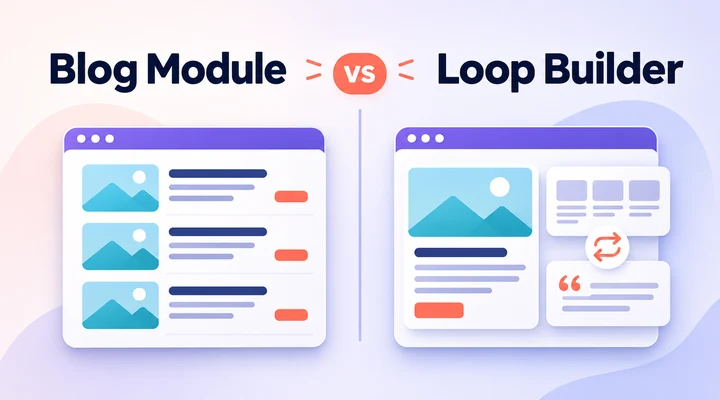
If your blog feed just needs a featured image, title, and excerpt, start with the Blog Module. Reach for the Loop Builder when you need to design the card yourself, including where the modules sit and which custom fields they show.
Before I pick one, I like to sketch a single card. Does it look like a regular blog preview? Go with the Blog Module. If you want a category badge in a specific spot, a reading-time field, and its own call to action, draw that version and build it with the Loop Builder.
| Decision | Blog Module | Loop Builder |
|---|---|---|
| What you design | A feed using the module’s built-in post elements and layout settings | A repeatable card built from the Divi elements you choose |
| Content fields | Standard fields exposed by the Blog Module | Supported dynamic fields bound inside the repeating layout |
| Pagination | Configured in the Blog Module when needed | Add a Pagination module and point it at the correct loop |
| Maintenance | Check feed settings and style in one module | Maintain the query, card design, field connections, and pagination |
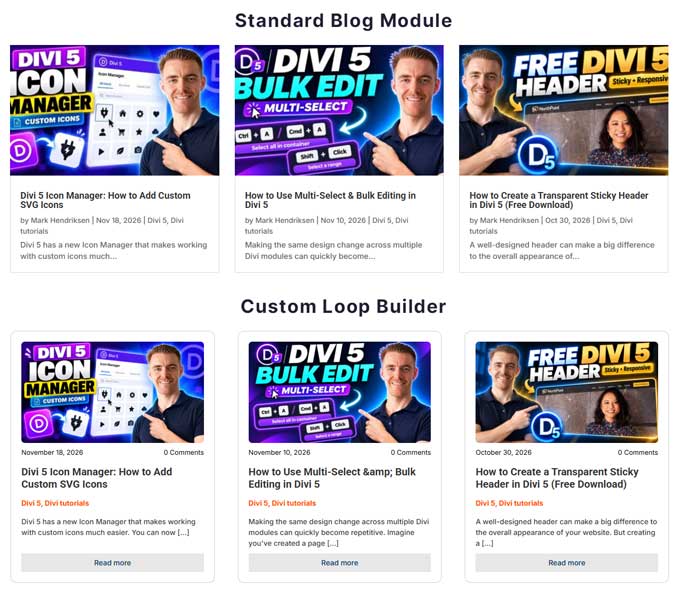
Example: a standard resource feed
Say you’re building a Resources page for a client. All they need is a thumbnail, a title, an excerpt, and a way to open the post. Add a Blog Module, choose the posts or category, and show the client what to enter for the featured image and excerpt. You can always switch to a custom loop if the card needs more later. If you’re already in the Visual Builder, the Divi 5 Command Center is a quick way to find and insert the module.
Example: articles with individual resource details
Now say they want a resource type and a custom label between the image and the heading. That’s a good reason to build one card yourself. Connect the title, image, and label to the current loop item, then click through and check that it opens the right post. My Divi 5 Loop Builder tutorial walks through how to set that up.
Check these details before you hand the page over
- Missing values. Try a post without a featured image or optional field. Check whether the card still looks the way you want it to.
- Long titles. Give a post a longer title than you’d usually write. See how it wraps on a phone and on desktop.
- Page two. Add enough posts to reach the next page and check that it works on any archives that use this layout too.
- Query context. If you’re using a category template, open two categories and check that each shows the right posts.
- Editing workflow. Ask the person who’ll maintain the site to add a post. If the card fills in without them opening the builder, you’ve made their job easier.
It’s fine to use both on the same site. I’d use the Blog Module for a straightforward news page and Loop Builder for a resource directory that needs more detail on every card. Think about what each card needs to show and how the client will add the next one. If you’d like to start with an existing design, browse my Divi blog layout examples.
For the settings behind both approaches, see Elegant Themes’ guides to the Divi 5 Blog Module and building custom loops.